


 Bulk Upload
 Upload with Maxve



 3
3

What Is V-Ray Mesh Export?
V-Ray Mesh Export is a V-Ray feature that allows you to convert complex 3D objects into lightweight proxy meshes. During rendering, V-Ray loads the original high-detail geometry, while the viewport displays a simplified version of the model.
This feature is especially useful when working with large numbers of objects, such as trees, grass, gravel, or furniture, helping to reduce memory usage and improve viewport performance.
For some reason, this feature may become disabled. When this happens, you will lose access to the following V-Ray functions:
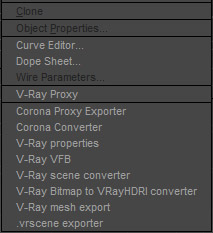
V-Ray Mesh Export – Unable to create V-Ray proxies in 3ds Max.
V-Ray Properties
V-Ray VFB
V-Ray Scene Converter
V-Ray Bitmap to V-Ray HDRI Converter
.vrscene Exporter
How to Fix the Missing V-Ray Mesh Export Option
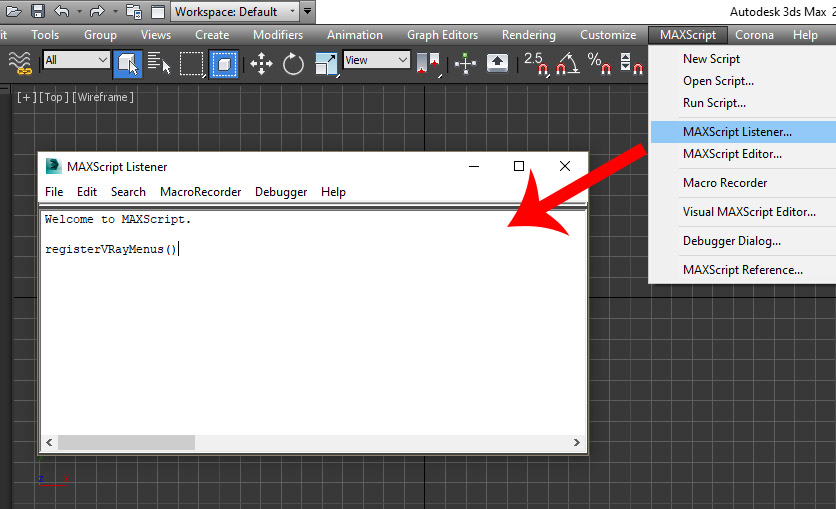
After some investigation, I found a quick and simple way to restore this feature. Follow the steps below.
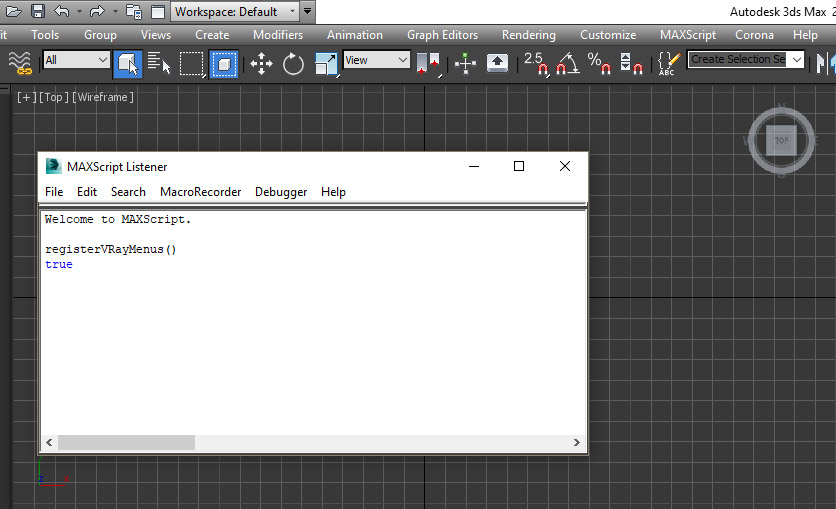
You should see the value set to “true”.
Hopefully this tutorial helps you restore the missing “V-Ray Mesh Export” function in 3ds Max.
 Render:
 Size:
Size: Date:
Date: Product ID: