


 Bulk Upload
 Upload with Maxve



 3
3

How to Reduce 3ds Max File Size
When working in 3ds Max, you often use many external assets and libraries.
However, even after deleting all unnecessary objects, the scene file may still remain very large, sometimes reaching dozens or even hundreds of megabytes.
You can use the following scripts to clean up unnecessary data and reduce the file size.
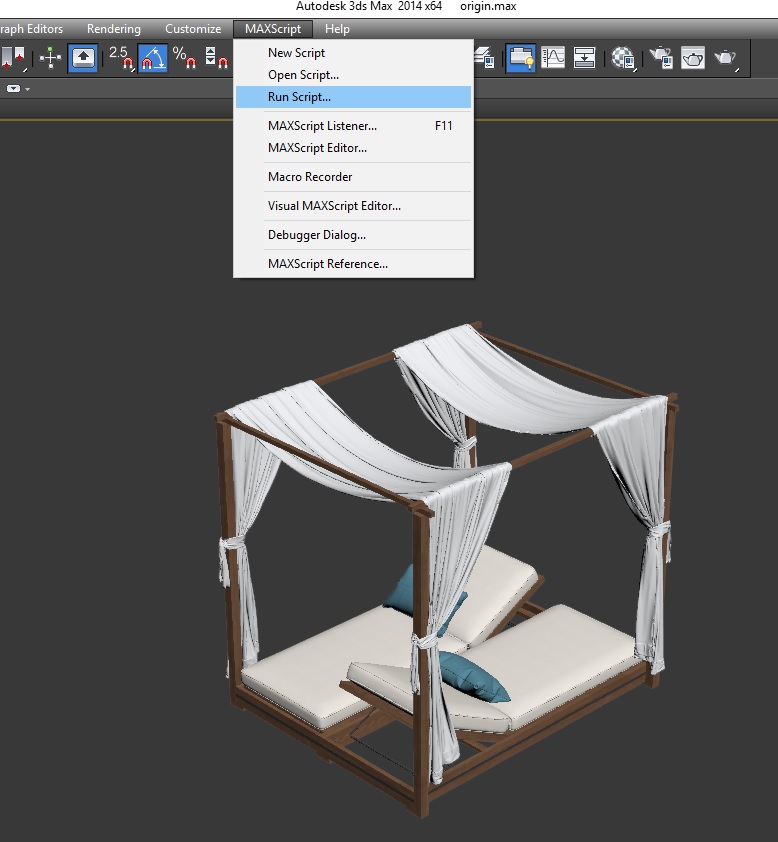
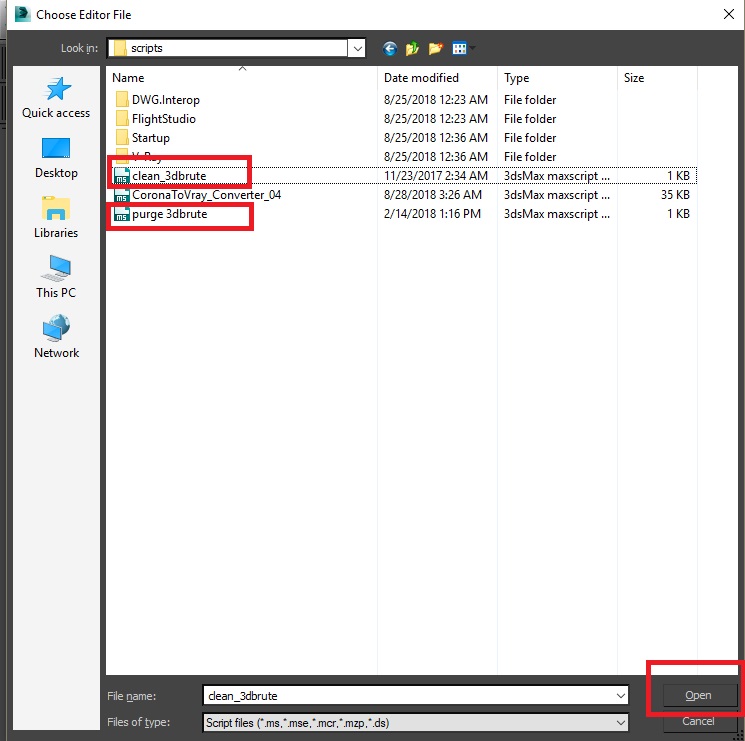
1. Open MAXScript > Run Script, select “clean_3dbrute”, and click Open.
2. Open MAXScript > Run Script, select “purge_3dbrute”, and click Open.
3. Save the scene under a different file name. Compare the new file with the original one, and you should notice a significant reduction in file size.
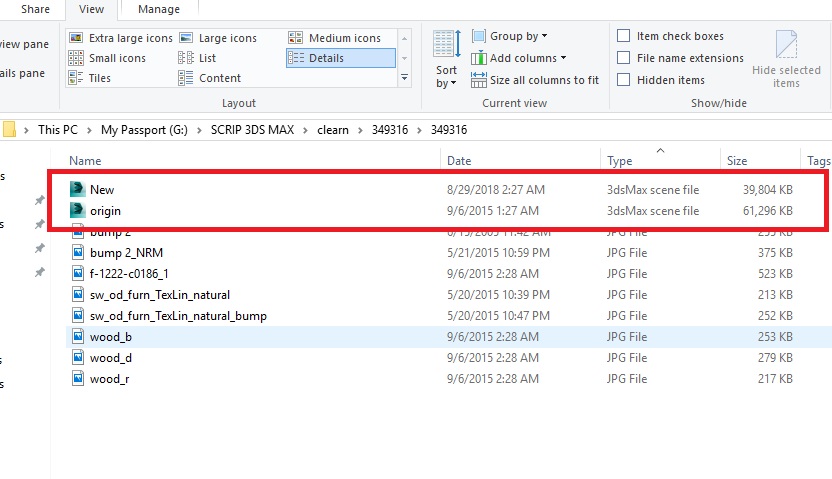
As shown below, the file size was reduced from 61 MB to 39 MB.
Download the script here.

 Render:
 Size:
Size: Date:
Date: Style:
 Product ID: